Work Side Menu

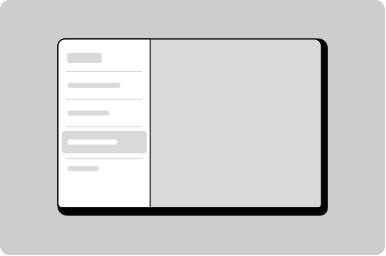
Side menu variant for worker applications.

Props

accountContent
ReactNode
Content rendered in the account/profile slot.
heading
string
The application name displayed in the header.
open
boolean
Controls whether the side menu is expanded or collapsed.
primaryContent
ReactNode
Content rendered in the primary navigation slot.
secondaryContent
ReactNode
Content rendered in the secondary navigation slot.
testId
string
Sets a data-testid attribute for automated testing.
url
string
URL for the header link. Clicking the logo/heading navigates to this URL.
userName
string
User's name displayed in the profile section.
userSecondaryText
string
Secondary text displayed below the user's name, such as role or email.
accountContent
TemplateRef<any>
Template reference for the account slot content.
heading
string
The application name displayed in the header.
open
boolean
Controls whether the side menu is expanded or collapsed.
primaryContent
TemplateRef<any>
Template reference for the primary navigation slot content.
secondaryContent
TemplateRef<any>
Template reference for the secondary navigation slot content.
testId
string
Sets a data-testid attribute for automated testing.
url
string
URL for the header link. Clicking the logo/heading navigates to this URL.
userName
string
User's name displayed in the profile section.
userSecondaryText
string
Secondary text displayed below the user's name, such as role or email.
heading
string
The application name displayed in the header.
open
any
Controls whether the side menu is expanded or collapsed.
Defaults to false.
testId
string
Sets a data-testid attribute for automated testing.
url
string
URL for the header link. Clicking the logo/heading navigates to this URL.
userName
string
User's name displayed in the profile section.
userSecondaryText
string
Secondary text displayed below the user's name, such as role or email.

Events

onNavigate
(path: string) => void
Callback fired when a menu item is navigated, providing the target URL path.
onToggle
() => void
Callback fired when the side menu is toggled open or closed.
onNavigate
string
Emits when a navigation link is clicked. Emits the URL as a string.
onToggle
CustomEvent
Emits when the side menu is toggled open or closed.
_toggle
CustomEvent
_update
CustomEvent

Slots

account
Named slot for content
primary
Named slot for content
secondary
Named slot for content
account
Named slot for content
primary
Named slot for content
secondary
Named slot for content
account
Named slot for content
primary
Named slot for content
secondary
Named slot for content

Work Side Menu Group Props

heading
string
The text displayed in the group heading.
icon
GoabIconType
Icon displayed before the group label. When omitted, no icon is rendered and no space is reserved.
open
boolean
Whether the group is open.
testId
string
Sets a data-testid attribute for automated testing.
heading
string
The text displayed in the group heading.
icon
GoabIconType
Icon displayed before the group label. When omitted, no icon is rendered and no space is reserved.
open
boolean
Whether the group is open.
testId
string
Sets a data-testid attribute for automated testing.
heading
string
The text displayed in the group heading.
icon
GoabIconType
Icon displayed before the group label. When omitted, no icon is rendered and no space is reserved.
open
boolean
Whether the group is open.
Defaults to false.
testId
string
Sets a data-testid attribute for automated testing.

Work Side Menu Group Events

_hoverItem
CustomEvent

Work Side Menu Item Props

badge
string
Badge text displayed alongside the menu item (e.g., notification count).
current
boolean
When true, indicates this is the currently active menu item.
divider
boolean
When true, displays a divider line above this menu item.
icon
string
Icon displayed before the menu item label.
label
string
The text label displayed for the menu item.
testId
string
Sets a data-testid attribute for automated testing.
type
GoabWorkSideMenuItemType
Sets the visual style of the badge. Use "emergency" for urgent items, "success" for positive status.
Defaults to normal.
url
string
The URL the menu item links to. When absent, renders as a button instead of a link.
badge
string
Badge text displayed alongside the menu item (e.g., notification count).
current
boolean
When true, indicates this is the currently active menu item.
divider
boolean
When true, displays a divider line above this menu item.
icon
string
Icon displayed before the menu item label.
label
string
The text label displayed for the menu item.
testId
string
Sets a data-testid attribute for automated testing.
type
GoabWorkSideMenuItemType
Sets the visual style of the badge. Use "emergency" for urgent items, "success" for positive status.
Defaults to normal.
url
string
The URL the menu item links to. Optional — when absent, renders as a button instead of a link.
badge
string
Badge text displayed alongside the menu item (e.g., notification count).
current
boolean
When true, indicates this is the currently active menu item.
Defaults to false.
divider
boolean
When true, displays a divider line above this menu item.
Defaults to false.
icon
GoabIconType
Icon displayed before the menu item label.
label
string
The text label displayed for the menu item.
testId
string
Sets a data-testid attribute for automated testing.
type
"normal" | "emergency" | "success"
Sets the visual style of the badge. Use "emergency" for urgent items, "success" for positive status.
Defaults to normal.
url
string
The URL the menu item links to. Optional — when absent, renders as a button instead of a link.

Work Side Menu Item Events

_blurItem
CustomEvent
_desktopPopoverClose
CustomEvent
_desktopPopoverOpen
CustomEvent
_hoverItem
CustomEvent
_itemCurrent
CustomEvent
_mobilePopoverClose
CustomEvent
_mobilePopoverOpen
CustomEvent
_mountItem
CustomEvent
_navigate
CustomEvent

Work Side Menu Item Slots

popoverContent
Content rendered inside the popover panel attached to this menu item.
popoverContent
Content rendered inside the popover panel attached to this menu item.
popoverContent
Content rendered inside the popover panel attached to this menu item.
Examples

Workspace

Preview not available
No React code available
No usage guidelines have been documented for this component yet.

All GoA Design System components are built to meet WCAG 2.2 AA standards. The following guidelines provide additional context for accessible implementation.

No accessibility-specific guidelines have been documented for this component yet.

View old component docs